Man, I used to hate the idea of A/B testing. It sounded so… technical.
Like, something a full-stack dev with three monitors and a cold brew would do—not me, just trying to make my clunky Shopify store work. But once I figured out how simple (and powerful) it really is? Game-changer.
My First A/B Test: The Button That Changed Everything
The first time I ran an A/B test, it was on my “Add to Cart” button. I swapped the color from light blue to bright orange. Honestly, I didn’t expect much.
But a week later? Sales were up 14%. Fourteen percent—from a button color.
That’s when it hit me: I’d been leaving money on the table by not testing everything I could.
What Even Is A/B Testing? (And Why You Should Care)
Here’s the lowdown:
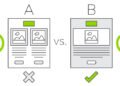
A/B testing is when you show one version of something to half your visitors (version A) and a different version to the other half (version B). Then you let the data tell you which one performs better.
You’re not guessing anymore. You’re measuring. And in eCommerce, even small wins can snowball into big revenue.
Want to take it even further? Pair your tests with SEO best practices for your Payhip store to drive more traffic and conversions.
Store Elements Worth Testing First
Don’t test everything at once—you’ll confuse yourself and your data. Here’s what I always recommend starting with:
-
CTA Buttons: Text, color, size. I once changed “Buy Now” to “Get Yours Today” and saw a 9% lift.
-
Product Images: Lifestyle shots vs. flat lays. Try zoomed-in detail vs. full view.
-
Pricing Display: “Was $49, now $29” vs. just showing $29. Spoiler: urgency wins.
-
Headline or Tagline: Above-the-fold copy can make or break bounce rate.
-
Trust Badges: A tiny “30-day guarantee” icon near checkout? Big difference.
-
Navigation Bar: Less is more. One of the biggest surprises for me.
Want more ideas? Check out this guide on optimizing your store navigation for better UX—it’s a goldmine for small but mighty tweaks.
Use the Right Tools (So You Don’t Go Crazy)
Good news: you don’t need a dev team to run tests. These tools are beginner-friendly:
-
VWO
-
Convert
-
Optimizely
-
Neat A/B Testing (for Shopify)
-
Intelligems (for price testing)
I recommend running tests for at least 7 days or until you get 500–1000 visitors per variation. Less than that and you’re basically flipping a coin.
Don’t Get Fooled by Early Results
Ask me how I know.
I once ran a test for just three days. Version B looked like a clear winner—20% boost in conversions. I got excited, stopped the test, and rolled it out.
Bad move.
Turns out the spike was from a promo email I’d forgotten about. It hyped the version B offer way more. The layout wasn’t the hero—the email was.
Moral of the story? Let your tests run, and always check your traffic sources.
A/B Testing Isn’t Just About Sales. It’s About Learning
Even when a test “fails,” it’s a win. Why? Because now you know what doesn’t work. That insight is just as valuable.
I once tested moving my testimonials to the top of my homepage. Conversions dropped. Now I know my audience wants to see the offer first, social proof second.
If you’re thinking of doing the same, check out this breakdown on adding testimonials and reviews to your store. Timing and placement matter more than you’d think.
To Wrap It Up
A/B testing is like tuning a guitar. Tiny tweaks can make your store sing—or screech.
Don’t overcomplicate it. Start with one element, track the results, and build from there. Trust me, it’s addictive once you see the power in your data.
Oh, and please document your tests. I use a basic spreadsheet: date, element tested, version A vs. B, and outcome. Otherwise, you’ll forget what worked and repeat the same test six months later (been there).