Creating an online course with high-quality audio and video is essential for keeping students engaged.
Clear sound and crisp visuals can make your course feel professional and credible, while poor quality can turn students away—no matter how great your content is.
So, which microphones and cameras should you use to record your course? Whether you’re on a budget or ready to invest, this guide covers the best options for every level of course creation.
If you’re still structuring your course, check out how to organize your course content effectively to ensure a seamless learning experience.
Choosing the Right Microphone for Course Recording
Audio quality is more important than video quality when recording courses. Students can tolerate lower-resolution video, but bad audio (background noise, echoes, or muffled speech) will ruin their experience.
Key Factors When Choosing a Microphone:
✔ Sound clarity – The microphone should capture clear, crisp audio without distortion.
✔ Noise reduction – A good mic minimizes background noise and echo.
✔ Ease of use – Look for plug-and-play options that work with your setup.
Best Microphones for Online Course Creation
1. Budget-Friendly USB Microphones ($30-$100)
✔ Best for beginners who want affordable, good-quality sound without complex setups.
- Blue Snowball iCE – Great for entry-level recording, plug-and-play with USB.
- FIFINE K669B – Cheap but produces decent sound clarity for talking head videos.
- JLab Talk – Small, lightweight, and a solid alternative to Blue Snowball.
These are perfect for course creators recording voiceovers or webcam videos without a high budget.
2. Mid-Range USB Microphones ($100-$200)
✔ Best for creators who want better sound quality without needing a complex setup.
- Blue Yeti – One of the most popular mics for online courses and podcasts, offers adjustable recording patterns.
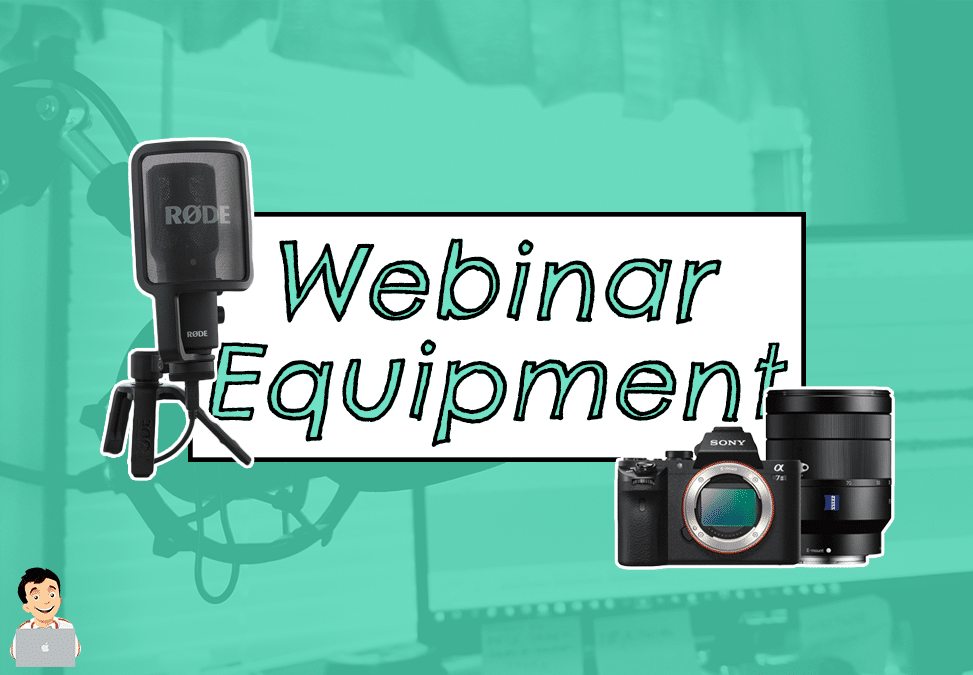
- Rode NT-USB Mini – Excellent sound clarity, compact, and works well for voiceovers.
- Audio-Technica ATR2100x-USB – USB + XLR options for future upgrades.
These microphones provide studio-like audio without expensive equipment.
If you’re recording video lessons, pairing a good microphone with a strong recording and editing workflow is essential. Learn more about how to record and edit video lessons for your course to get polished, high-quality content.
3. Lavalier (Clip-On) Microphones (Great for Movement & Teaching on Camera)
✔ Best for instructors who move around while recording.
- Rode SmartLav+ – Works with smartphones, ideal for simple setups.
- Shure MVL Lavalier – Great for crisp, clear speech recordings.
- Rode Wireless GO II – Wireless, easy to use, and perfect for professional mobile recording.
If you plan to stand, move, or record on a whiteboard, a lavalier microphone is a must.
Choosing the Right Camera for Course Recording
Video quality matters, but you don’t need a Hollywood setup to record professional-looking courses. The right camera depends on your budget and recording style.
Key Factors When Choosing a Camera:
✔ Video quality – Look for at least 1080p HD (Full HD) or 4K for crisp visuals.
✔ Autofocus and low-light performance – Ensures clear, sharp video even in less-than-perfect lighting.
✔ Ease of use – Plug-and-play options work best for non-tech-savvy creators.
Best Cameras for Online Course Creation
1. Budget-Friendly Webcams ($50-$200)
✔ Best for course creators who record from a desk or do screen recording with a face cam.
- Logitech C920 – Affordable, 1080p HD, and one of the most popular webcams for online courses.
- Logitech Brio 4K – Sharp video quality, HDR support, and good for low-light settings.
- Razer Kiyo – Includes a built-in ring light, making it great for low-light conditions.
Webcams work best for talking head videos, live sessions, and screen recordings.
2. Mid-Range Mirrorless & DSLR Cameras ($500-$1,500)
✔ Best for creators who want higher video quality and a cinematic look.
- Sony ZV-1 – Compact, built-in autofocus, and great for beginners.
- Canon EOS M50 Mark II – Fantastic autofocus, good for tutorials and face-to-camera lessons.
- Sony A6400 – High-quality 4K recording, great low-light performance.
Mirrorless and DSLR cameras provide a more polished, professional look, especially for lecture-style or on-camera courses.
3. Smartphone Cameras (For Budget Creators)
Modern smartphones have powerful cameras that rival DSLRs for online course creation. If you’re on a tight budget, using your iPhone or Android phone is a great alternative.
✔ iPhone 13 Pro / iPhone 14 Pro – Shoots in 4K with cinematic mode.
✔ Samsung Galaxy S23 Ultra – Excellent autofocus and high-resolution recording.
✔ Google Pixel 7 Pro – Great video stabilization for smooth recording.
To improve quality, use a tripod and an external microphone for better sound.
Final Thoughts: Best Microphones & Cameras for Course Creation
Best Budget Setup ($100-$300)
✔ Microphone: Blue Snowball iCE or Fifine K669B.
✔ Camera: Logitech C920 or smartphone camera.
✔ Lighting: Ring light.
Best Mid-Range Setup ($500-$1,000)
✔ Microphone: Blue Yeti or Rode NT-USB Mini.
✔ Camera: Canon EOS M50 Mark II or Sony ZV-1.
✔ Lighting: Neewer Softbox Kit.
Best Professional Setup ($1,500+)
✔ Microphone: Shure SM7B with audio interface.
✔ Camera: Sony A6400 or Canon EOS R6.
✔ Lighting: Elgato Key Light or studio softboxes.
No matter your budget, good lighting and clear audio are more important than having the most expensive camera. Start with what you have, upgrade as needed, and focus on delivering high-value content.
If you’re still deciding where to host your online course, check out the best platforms for hosting courses to choose the right platform for your needs.