If you’ve ever spent hours designing a gorgeous Canva template for a client, your own business, or just for fun, you’ve probably asked yourself, “Could I sell this?”
Short answer? Yes. And Payhip makes it ridiculously easy to do it without building a website, hiring a developer, or getting caught up in marketplace fees.
In fact, turning Canva templates into a passive income stream on Payhip has become one of the smartest moves I’ve made as a creator. Whether you’re designing Instagram post layouts, lead magnets, planners, or media kits—those templates can earn for you 24/7 once you package them right.
Here’s exactly how I did it and how you can too.
Step 1: Choose a Specific Audience for Your Templates
The #1 mistake new sellers make is trying to create “Canva templates for everyone.” Nah. That won’t sell.
What works? Getting ultra-specific. Ask:
-
Who am I designing for?
-
What do they need to save time on?
-
How can my templates help them show up faster, easier, and better?
Here are a few examples that sell well:
-
Instagram carousel templates for nutrition coaches
-
Lead magnet templates for virtual assistants
-
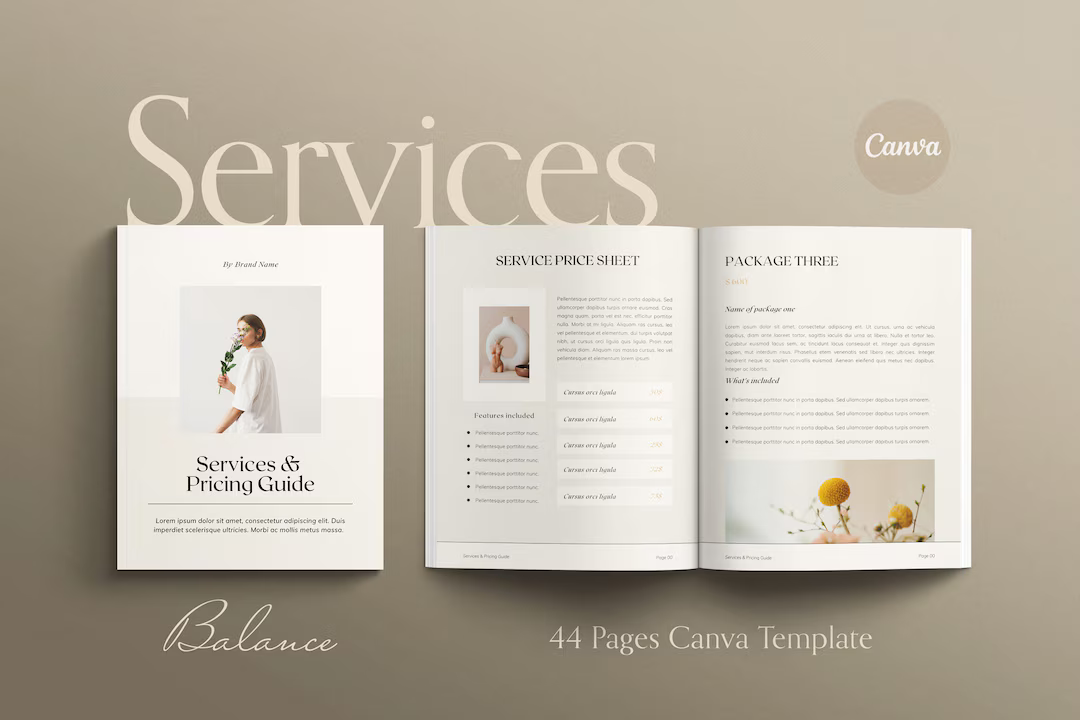
Pricing guides for social media freelancers
-
Minimalist resume templates for new grads
-
Ebook layout templates for course creators
Choose one niche. Speak directly to that group.
Step 2: Design in Canva and Prep for Selling
Once you’ve got your niche, create 5–10 variations of your template (colors, layouts, etc.). Keep them editable, organized, and on-brand.
Here’s what to include:
-
A Canva share link (use the “Template Link” feature so it prompts the buyer to make a copy)
-
A PDF file that contains:
-
Access link to the template
-
Instructions for editing
-
Licensing terms (commercial/personal use)
-
Then zip the file or upload the PDF with the share link inside. This keeps your Canva link secure and easy to deliver.
Step 3: Upload to Payhip (Your Digital Storefront)
Payhip is perfect for Canva templates because you can start for free, and it handles:
-
Instant digital delivery
-
Payments via PayPal/Stripe
-
EU VAT for international buyers
-
Email collection and marketing (yep, built in)
Here’s how I set mine up:
-
Create a free Payhip account
-
Click “Add Product” → Digital Product
-
Upload the PDF (with the Canva link inside)
-
Title it something clear like “Instagram Carousel Templates for Wellness Coaches”
-
Add a short, benefit-driven description
-
Upload 2–3 preview images or mockups (I use Canva to make these too)
-
Set your price. I started at $12, and tested up to $27 based on feedback and value
Now you’ve got a live product page you can share anywhere—link in bio, stories, emails, Pinterest, whatever.
Step 4: Promote Without Being Salesy
I don’t do ads. Most of my sales come from sharing helpful, visual content where my ideal buyers hang out.
Here’s what’s worked for me:
-
Instagram Reels: “Steal this post layout for your next launch” → Link in bio
-
TikTok: “What I’d post if I were a nutrition coach in 2025” → Show the template in action
-
Pinterest: Create pins with text like “Free Canva Templates for Coaches” or “Editable Media Kit for Freelancers”
-
Email list: Offer a free mini template as a lead magnet and upsell to the full bundle
People love swipeable, done-for-you content, especially if you show them how easy it is to use.
Step 5: Bundle, Upsell, and Repeat
This is where the passive income starts to snowball.
Instead of constantly creating new templates, I:
-
Bundled 3 mini packs into a “Canva Toolkit”
-
Offered a discount for email subscribers
-
Created seasonal drops (e.g., “Spring Launch Canva Pack”)
-
Added bonus templates for repeat buyers
And since Payhip lets you:
-
Create discount codes
-
Set up product bundles
-
Send emails to past buyers
…it’s all automated.
You build it once. You sell it forever. You just keep showing up where your buyers hang out.
Final Thoughts: Start Small, Sell Smart, and Let It Work for You
Selling Canva templates on Payhip isn’t about having a huge audience or a fancy brand. It’s about solving a specific problem for a specific person, fast.
So if you’ve already created templates for your clients, your side hustle, or just for fun… you’re halfway there.
Upload one. Just one. Share it with your people. See what happens.