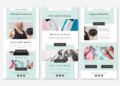
Imagine crafting an email that looks professional, grabs attention, and encourages clicks—all without spending hours on design.
That’s the power of pre-designed email templates! A client of mine, a small e-commerce business, once struggled with creating consistent, visually appealing emails. By using pre-designed templates tailored to their brand, they not only saved time but also increased click-through rates by 30%. Pre-designed templates are a game-changer for marketers looking to create effective campaigns without starting from scratch.
Key Takeaway: Pre-designed email templates simplify your workflow, maintain brand consistency, and help you create visually engaging emails that drive results.
1 Why Use Pre-Designed Email Templates?
🎨 Professional Look Without the Effort
Pre-designed templates provide polished, professional layouts, even if you’re not a designer.
⏳ Save Time and Resources
Focus on content creation and strategy while the design is already handled.
💼 Consistent Branding
Templates ensure your colors, fonts, and logo are consistent across campaigns.
📱 Responsive Design
Most pre-designed templates are optimized for mobile devices, ensuring a seamless experience for all users.
💡 Customizable to Your Needs
Adjust templates to fit your campaign goals, whether it’s a product launch, newsletter, or event invite.
2 Types of Pre-Designed Email Templates
📰 Newsletter Templates
- Perfect for sharing updates, articles, or announcements.
- Includes sections for headlines, images, and CTAs to drive engagement.
💰 Promotional Templates
- Ideal for product launches, sales, or special offers.
- Often feature bold banners, product grids, and urgency-driven CTAs like “Shop Now.”
🎉 Event Invitation Templates
- Designed to grab attention and provide key event details.
- Typically include RSVP buttons and maps for easy navigation.
📧 Transactional Templates
- Used for order confirmations, shipping updates, or account notifications.
- Clean, simple designs that prioritize clarity and essential information.
👋 Welcome Series Templates
- Help onboard new subscribers with a warm introduction to your brand.
- Include sections for your brand story, key offerings, and next steps.
3 Popular Platforms Offering Pre-Designed Templates
💻 Mailchimp
- Offers customizable templates with drag-and-drop functionality.
- Perfect for beginners and seasoned marketers alike.
🎨 Canva
- Provides email banner designs and templates you can integrate into your campaigns.
📧 BEE Free
- A versatile tool with a variety of pre-designed responsive templates.
🌟 HubSpot
- Includes professional templates with advanced analytics and automation options.
💡 ActiveCampaign
- Focuses on templates optimized for automation and personalization.
4 How to Customize Pre-Designed Email Templates?
🖌️ Align with Your Brand
- Add your logo, brand colors, and fonts to make the template uniquely yours.
📝 Focus on Content
- Ensure your text is concise, engaging, and free of errors.
🔗 Use Strong CTAs
- Replace placeholder buttons with action-driven CTAs like “Get Started” or “Claim Your Discount.”
📸 Optimize Visuals
- Replace stock images with product photos, team pictures, or custom graphics.
📱 Test for Responsiveness
- Preview your email on both desktop and mobile to ensure a seamless user experience.
5 Best Practices for Using Pre-Designed Templates
✅ Choose Templates That Match Your Goal
Select a template designed for your campaign type, whether it’s promotional, informational, or transactional.
📊 Keep It Simple
Avoid overloading the design with unnecessary elements—less is often more.
🧪 Test Before Sending
Always test your email to ensure it looks and functions as expected across devices and email clients.
🔁 Use A/B Testing
Experiment with variations of subject lines, CTAs, or images to see what resonates most with your audience.
📈 Track Metrics
Monitor open rates, click-through rates, and conversions to measure your email’s success and refine future campaigns.
6 Example Use Cases for Pre-Designed Templates
💌 E-Commerce Sale Campaign
- Template: Promotional
- Features: Bold header announcing the sale, product images, and “Shop Now” buttons.
📢 Company Newsletter
- Template: Newsletter
- Features: Sections for company news, blog highlights, and a CTA to explore more.
🎟️ Event Invite
- Template: Event Invitation
- Features: Vibrant banners, RSVP button, and event details like date, time, and location.
7 Conclusion
Pre-designed email templates are the secret weapon for efficient and effective email marketing. They help you maintain a professional, cohesive look while saving valuable time. By choosing templates aligned with your goals and customizing them to reflect your brand, you can create visually stunning emails that captivate your audience and drive results.
Start by exploring platforms like Mailchimp or Canva, pick a template that suits your needs, and tweak it to perfection. With a little creativity and the right template, your email campaigns can go from good to great in no time!
Remember, a well-designed email template is more than just a time-saver—it’s the key to standing out in your audience’s inbox.