• Email Marketing
    • The 5 Best Email Marketing Tools in 2025 (Ranked for Features & ROI)
  • AI Tools
    • The 7 Best AI Tools in 2025 (Top Picks for Productivity & Growth)
  • VPN
    • The 5 Best VPN in 2025 (Fast, Secure & Affordable Options Compared)
  • E-commerce
    • The 5 Best E-commerce Tools in 2025 (Our Top 5 Picks)
  • CRM’s
    • The 5 Best CRM Tool in 2025 (Ranked and Reviewed)
  • About us
No Result
View All Result
  • Email Marketing
    • The 5 Best Email Marketing Tools in 2025 (Ranked for Features & ROI)
  • AI Tools
    • The 7 Best AI Tools in 2025 (Top Picks for Productivity & Growth)
  • VPN
    • The 5 Best VPN in 2025 (Fast, Secure & Affordable Options Compared)
  • E-commerce
    • The 5 Best E-commerce Tools in 2025 (Our Top 5 Picks)
  • CRM’s
    • The 5 Best CRM Tool in 2025 (Ranked and Reviewed)
  • About us
No Result
View All Result
No Result
View All Result
Home VPN

5 VPN Best Practices You Need to Implement

by Marcus
November 20, 2024
in VPN
Reading Time: 3 mins read
5 VPN Best Practices You Need to Implement
Share on FacebookShare on Twitter

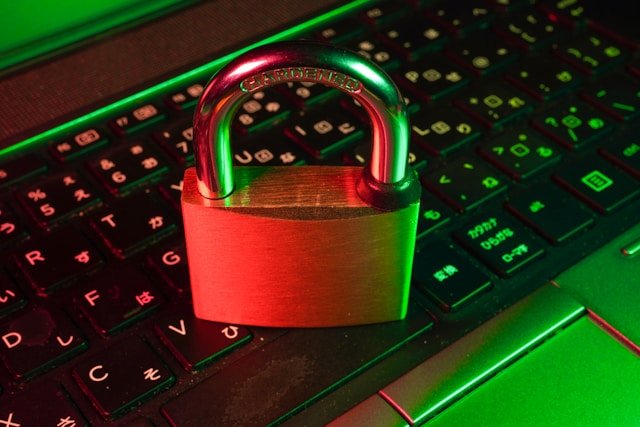
Whether you’re working remotely, shopping online, or simply browsing, a VPN is your first line of defense against cyber threats.

I’ll admit, I didn’t always take VPN security seriously. I once used a free VPN without a second thought—and I paid the price when my data was compromised. That experience taught me the importance of implementing best practices for VPN usage.

Key takeaway: A VPN alone isn’t enough; following these best practices ensures your online activities remain private and your data secure.


Practice 1: Choose a Reliable VPN Provider

I learned the hard way that not all VPNs are created equal. Free options might sound tempting, but they often come with risks like poor encryption and data logging.

  • Opt for a reputable VPN provider with strong encryption protocols (e.g., AES-256).
  • Ensure the provider has a strict no-logs policy.
  • Look for features like a kill switch, DNS leak protection, and multi-platform support.
  • Avoid free VPNs—they often compromise your privacy by selling your data.

Investing in a reliable VPN provider is the foundation of secure online activity.


Practice 2: Always Use a VPN on Public Wi-Fi

Public Wi-Fi is a cybercriminal’s playground. I once connected to an airport Wi-Fi without using a VPN, and within hours, I received phishing emails linked to the session.

  • Always enable your VPN when connecting to public Wi-Fi networks.
  • Use the VPN’s auto-connect feature to avoid accidentally browsing unprotected.
  • Prefer VPNs with split tunneling to secure specific apps while saving bandwidth.

This simple practice can save you from a world of trouble when using unsecured networks.


Practice 3: Regularly Update Your VPN Software

Updates may feel like a hassle, but skipping them is risky. I once delayed updating my VPN and found out later that the update patched a critical security vulnerability.

  • Enable automatic updates to ensure you’re always using the latest version.
  • Regularly check for firmware updates if using a hardware VPN.
  • Stay informed about your VPN provider’s security improvements and updates.

Keeping your VPN software up-to-date ensures you’re protected against the latest threats.


Practice 4: Use Strong Authentication

It’s tempting to stick with simple passwords, but when it comes to VPNs, strong authentication is crucial.

  • Use complex, unique passwords for your VPN accounts.
  • Enable multi-factor authentication (MFA) for an added layer of security.
  • Regularly change your passwords to minimize risks.

Strong authentication prevents unauthorized access, even if your credentials are compromised.


Practice 5: Monitor and Limit VPN Usage

VPNs are powerful tools, but they’re not invincible. Misuse or over-reliance can create security gaps.

  • Monitor VPN usage logs to identify any unusual activity.
  • Limit VPN access to specific users or devices to reduce exposure.
  • Educate team members or family on secure VPN usage to avoid errors.

Being proactive with monitoring ensures your VPN is used effectively and securely.


Conclusion

VPNs are essential for safeguarding your online privacy, but they’re only as secure as your practices. By choosing a reliable provider, using your VPN on public Wi-Fi, keeping software updated, strengthening authentication, and monitoring usage, you can significantly enhance your online security.

Take it from someone who’s learned the importance of these practices firsthand: don’t wait for a data breach to take action. Start implementing these best practices today, and enjoy a safer, more private online experience.

Tags: VPNVPN for Remote Work SecurityZero-Trust Architecture
Marcus

Marcus

Marcus combines data analysis with personal insight to uncover meaningful trends across different industries. His genuine curiosity about what drives people’s buying choices led him to create a ranking system that digs into the details of each sector. This approach has become a valuable tool for evaluating companies like Shopify, giving audiences a clear picture of their true worth.

Related Posts

Which VPN works for Mac? Top 3 for macOS
VPN

The 5 Best VPN in 2025 (Fast, Secure & Affordable Options Compared)

Whether it’s hackers, nosy corporations, or frustrating geo-restrictions, going online without protection is like leaving your front door wide open....

May 13, 2025
How to Configure VPN for Remote Work?
VPN

How to Configure VPN for Remote Work?

Configuring a VPN for remote work is crucial for maintaining security and accessing office files from anywhere. With the rise...

July 12, 2024
VPN Setup Tips for Remote Workers
VPN

VPN Setup Tips for Remote Workers

Working remotely has its perks, but it also comes with risks especially when it comes to securing your online activity....

December 8, 2024
4 Best VPN Practices for Remote Offices
VPN

4 Best VPN Practices for Remote Offices

VPNs provide encryption, safeguarding the data transmitted over potentially untrusted networks, such as home offices and public Wi-Fi hotspots. However,...

November 29, 2024

Recommended

How to Write Effective Renewal Emails for SaaS Subscriptions?

How to Write Effective Renewal Emails for SaaS Subscriptions?

January 23, 2025
How AI Can Help You Analyze and Improve Your Content Strategy?

How AI Can Help You Analyze and Improve Your Content Strategy?

May 14, 2025
The Role of Email Marketing in E-commerce Product Launches

The Role of Email Marketing in E-commerce Product Launches

January 7, 2025
Case Studies: Brands Succeeding with AI-Powered Content Personalization

The Role of Machine Learning in AI Content Curation

February 19, 2025

Categories

  • AI Tools
  • CRM's
  • E-commerce
  • Email Marketing
  • VPN

Techhubinsider.com is a comparison platform that offers the best products & services for small businesses for their website.


Copyright 2025 Techhubinsider.

Welcome Back!

Login to your account below

Forgotten Password?

Retrieve your password

Please enter your username or email address to reset your password.

Log In
No Result
View All Result
  • Email Marketing
    • The 5 Best Email Marketing Tools in 2025 (Ranked for Features & ROI)
  • AI Tools
    • The 7 Best AI Tools in 2025 (Top Picks for Productivity & Growth)
  • VPN
    • The 5 Best VPN in 2025 (Fast, Secure & Affordable Options Compared)
  • E-commerce
    • The 5 Best E-commerce Tools in 2025 (Our Top 5 Picks)
  • CRM’s
    • The 5 Best CRM Tool in 2025 (Ranked and Reviewed)
  • About us