


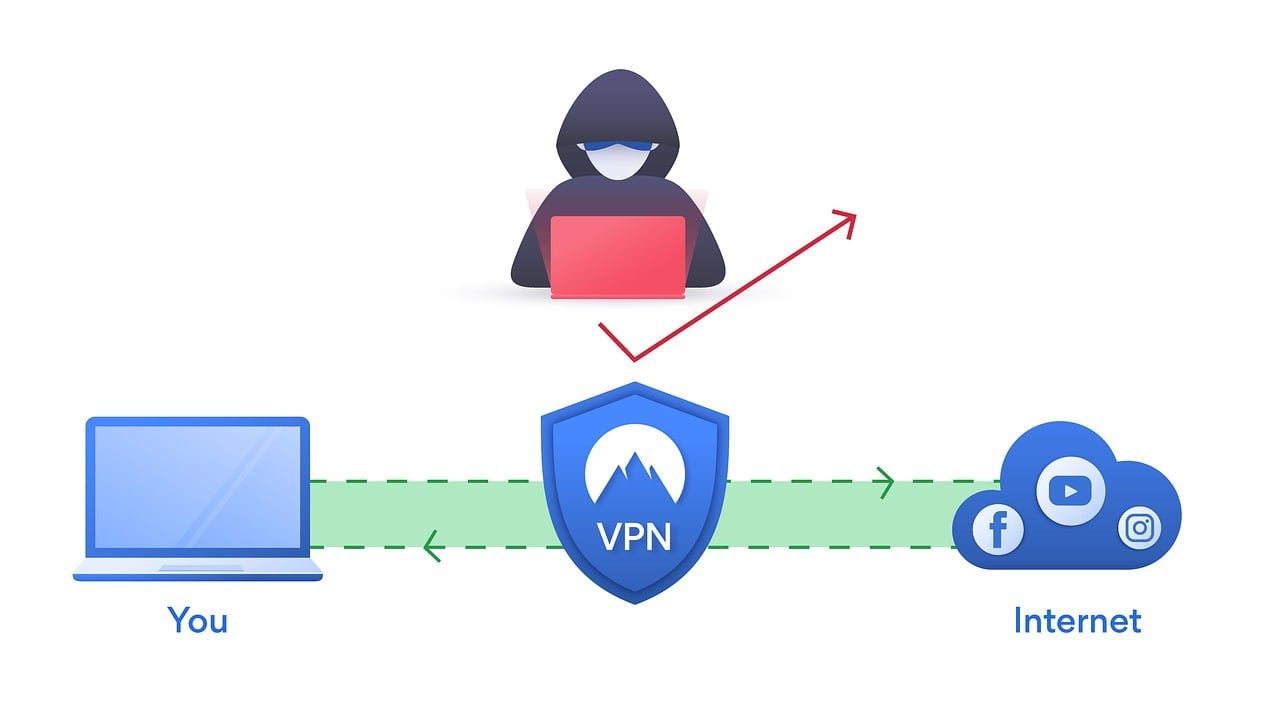
Remote work has become the backbone of modern businesses, but as teams expand, so do the challenges of providing secure and reliable connectivity.
If your VPN infrastructure isn’t keeping up, you’ll quickly run into bottlenecks like sluggish speeds, security gaps, and frustrated employees. Scaling your VPN infrastructure isn’t just about adding more servers—it’s about creating a system that adapts to your team’s evolving needs. I’ve seen firsthand how a poorly scaled VPN can disrupt productivity, and trust me, it’s not a pretty sight. The good news? With the right approach, scaling your VPN infrastructure can be seamless and efficient.
“Key takeaway: Scaling VPN infrastructure effectively supports remote work by optimizing performance, enhancing security, and ensuring reliable access for all employees”
Assessing Your Current VPN Infrastructure
Before scaling, you need to know where you stand. A thorough assessment will help you pinpoint weaknesses and identify areas for improvement.
Questions to Ask:
- Is the VPN handling current traffic without slowdowns?
- Are employees experiencing consistent connection issues?
- Does the infrastructure support the number of devices in use?
- Are security protocols up-to-date?
Action Steps:
- Monitor server performance during peak hours to identify bottlenecks.
- Gather feedback from employees about connection stability and speed.
- Review your VPN provider’s capabilities to ensure scalability options are available.
For a more in-depth understanding of scaling solutions, explore scalability of VPNs for growing remote workforces.
Strategies for Scaling VPN Infrastructure
Once you’ve assessed your current setup, it’s time to scale. Here are strategies to ensure your VPN grows with your team:
1. Add More Servers
More servers mean more bandwidth and reduced congestion, especially during peak usage.
- Distribute Load: Assign users to different servers based on location or workload.
- Global Coverage: Choose servers in diverse geographic locations to support remote employees worldwide.
- Monitor Server Utilization: Regularly check for overused servers and redistribute traffic as needed.
Learn about VPN scalability strategies for IT managers to optimize your approach.
2. Implement Split Tunneling
Split tunneling allows users to route non-essential traffic outside the VPN, reducing server strain.
- Benefits: Improves connection speeds by routing only critical data through the VPN.
- Custom Configuration: Tailor split tunneling policies to match your team’s needs.
- Example: Send work-related apps through the VPN while allowing personal browsing to bypass it.
3. Leverage Cloud-Based VPN Solutions
Cloud-based VPNs offer flexibility and scalability that traditional setups can’t match.
- Dynamic Scaling: Automatically adjust resources based on demand.
- Cost Efficiency: Pay only for the resources you use.
- Integration: Seamlessly connect to cloud-based tools and platforms.
Discover the best scalable VPN solutions for businesses to find providers suited to your needs.
4. Use Load Balancing
Load balancing distributes traffic evenly across multiple servers, ensuring no single server becomes overwhelmed.
- Enhanced Performance: Prevents server crashes during peak usage.
- Improved Reliability: Ensures users are redirected to an available server if one goes down.
- Automatic Management: Many VPN providers offer built-in load balancing features.
5. Upgrade Security Features
As your team grows, so does the risk of cyber threats. Scaling your VPN should include robust security measures.
- Multi-Factor Authentication (MFA): Add an extra layer of protection to user logins.
- Zero-Trust Integration: Verify every user and device, even after initial authentication.
- Advanced Encryption Protocols: Use the latest standards like WireGuard or IKEv2.
For insights into secure setups, check out configuring VPNs for work-from-home security.
Overcoming Common Challenges
Scaling VPN infrastructure isn’t without its hurdles. Here’s how to tackle common issues:
- Speed Reductions: Use high-speed servers and prioritize critical traffic with split tunneling.
- Cost Concerns: Start with scalable pricing plans that grow with your team.
- Security Gaps: Regularly update protocols and implement Zero-Trust principles.
Real-World Example: Scaling for a Growing Team
When a tech startup I worked with scaled from 30 to 150 employees, their existing VPN struggled to keep up. Slow connections and dropped sessions were daily frustrations. By switching to a cloud-based VPN with load balancing and adding more global servers, they transformed their infrastructure. The result? Faster connections, happier employees, and seamless remote work across time zones.
For tips on VPN performance optimization, explore enhancing VPN performance for remote workers.
Conclusion
Scaling VPN infrastructure for remote work isn’t just about keeping up with demand—it’s about setting your team up for success. With strategies like adding servers, leveraging split tunneling, and upgrading to cloud-based solutions, you can ensure secure, reliable, and efficient connectivity for your growing workforce.
From personal experience, a well-scaled VPN can make or break your team’s productivity. Ready to take your remote work setup to the next level? Start scaling your VPN infrastructure today and enjoy a smoother, more secure work environment.



