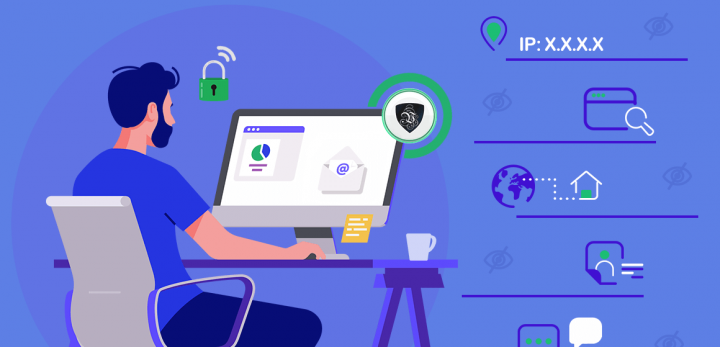
It’s early 2020, the world’s in chaos, and I’m trying to log into a company dashboard while sitting in a noisy café with spotty Wi-Fi.
At first, everything seems fine. But then I see something weird. A login attempt from Russia on my account. I’m not in Russia. I’m in a coffee shop 10 blocks from home, wearing sweatpants and panicking.
That’s when I first understood the real value of a VPN.
Back then, I’d vaguely heard the term thrown around in tech circles — “Oh yeah, we use a VPN, super secure, blah blah.” But I never thought I actually needed one. Turns out, I really, really did.
It’s Not Just About Hiding Your IP
I used to think VPNs were just for folks trying to watch Netflix in other countries or for the super-paranoid. But when I started working remotely full-time, I learned they’re basically your first line of defense.
When you’re on a VPN (Virtual Private Network), all the data you send — passwords, messages, those internal reports — it’s encrypted. That means even if someone is snooping on your connection (and on public Wi-Fi, trust me, they are), they can’t read a thing.
After that Russia scare, our team rolled out a strict VPN policy. Everyone had to use it when accessing our project management tools, internal databases, and even Slack. Yeah, it slowed things down a little at first, but it gave us peace of mind — and honestly, that’s priceless.
What Changed Once We Got Serious About VPNs?
We weren’t a big team. Just seven of us spread across different time zones — developers, content folks, and a very forgetful designer who never updated their password. (You know who you are.)
But once we got serious about our VPN setup, three big things happened:
-
Our security incidents dropped. Phishing attacks didn’t get through as often. We stopped having those “Hey, did you just click on a weird link?” conversations.
-
Access got smoother. With a centralized VPN, we could finally control who accessed what. We didn’t have to worry about ex-contractors still having access to shared folders six months later.
-
Compliance got easier. One of our clients was in the healthcare space, and with HIPAA breathing down our necks, the VPN helped us meet encryption and data handling requirements without jumping through flaming hoops.
Picking the Right VPN Was… A Journey
Here’s where things got messy. At first, we used a free VPN. Big mistake. It was slow, clunky, and let’s be real — probably just sold our data anyway.
Eventually, we switched to NordLayer. Super easy to manage teams, assign access by department, and it didn’t throttle our internet speed. For those on the dev side, Perimeter 81 was also solid — more advanced, but great for monitoring and endpoint control.
We considered Cisco AnyConnect, but it felt like using a tank when all we needed was a pickup truck. Same with some enterprise-level options. Honestly, the best VPN is the one your team will actually use.
A Few Things I Wish We Knew Sooner
-
You need to train people. Just installing the app isn’t enough. I had to personally walk two teammates through split tunneling so they could keep their Zoom calls from lagging while the VPN handled sensitive data.
-
Don’t just set it and forget it. Update your credentials. Check the usage reports. Once, we had a team member who didn’t realize their VPN expired — for two months. Totally unprotected.
-
VPN ≠ magic fix. It doesn’t replace password managers, firewalls, or common sense. I still see folks click on sketchy links and say “But I had the VPN on!” like it’s a get-out-of-jail-free card.
That One Time It Saved Our Butts
We were prepping for a product launch. Client data was flying around, spreadsheets galore. One night, a freelancer accidentally uploaded a sensitive file to a shared (public) Google Drive folder. Normally, we’d panic. But thankfully, we’d required all file-sharing and internal app access to go through our VPN. The link wasn’t accessible unless you were connected and authenticated.
What could’ve been a privacy nightmare turned into a quick fix. We updated permissions, pulled the link, and nobody even noticed. That one protocol saved us thousands in potential fines and a whole lot of embarrassment.
Final Thought: VPNs Are the New Office Key
In a traditional office, you badge in. There’s a front desk, maybe a locked file cabinet. You feel secure. But remote work? That’s like setting up your desk in the middle of a park. Everyone’s walking by, watching. Unless you use a VPN.
It’s not just a fancy tool, it’s your digital keycard. It says, “Hey, I belong here. I’m safe to let in.” And with the way remote work’s going, especially with global teams, hybrid setups, and data privacy laws tightening up, VPNs are more than helpful. They’re essential.
If you’re not already using one, get on it. If you are, double-check your setup. Trust me — your future self will thank you the next time your coffee shop Wi-Fi gets weird.